


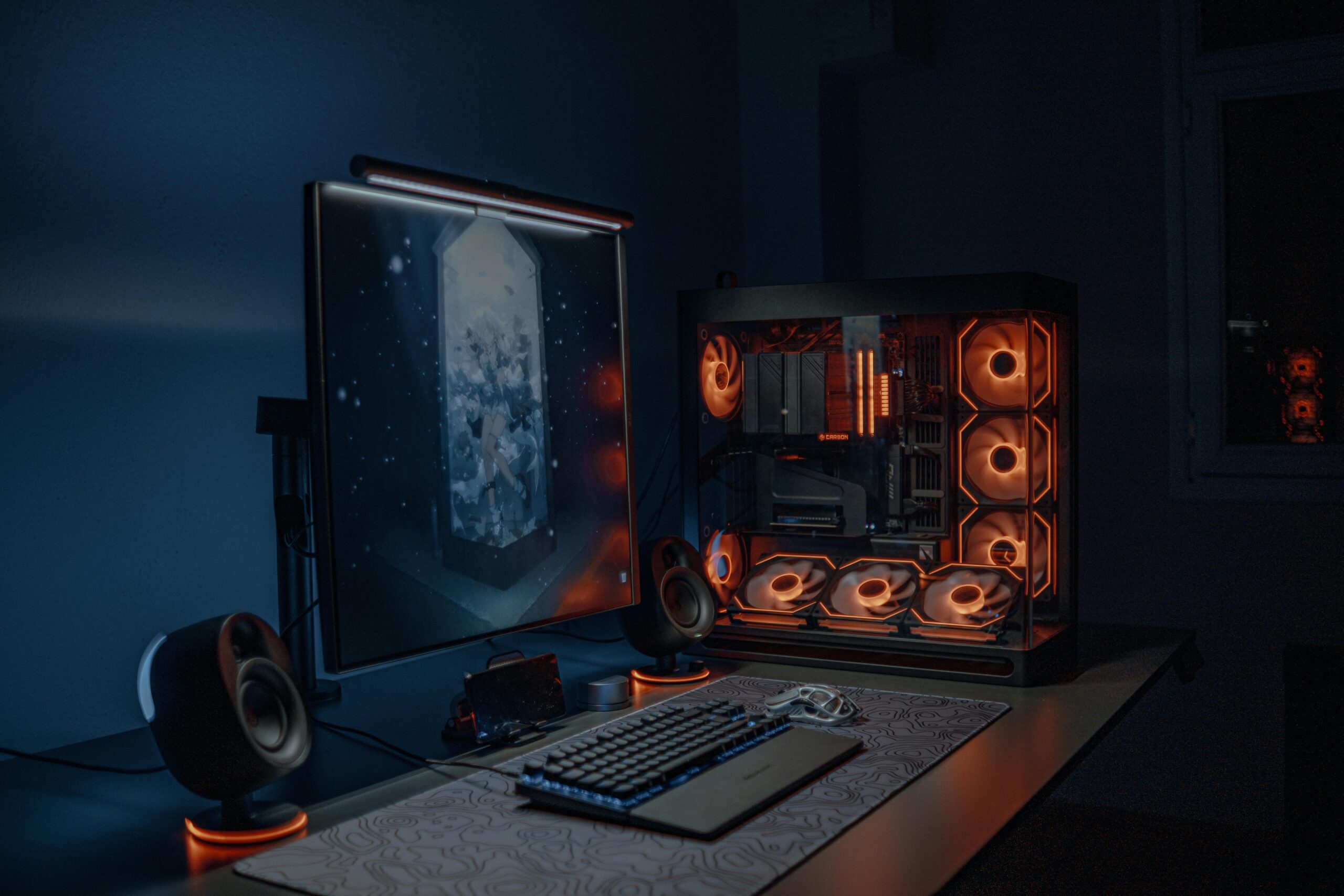
🛠️ How to Build a Silent Editing PC in 2025 [Under £1000 Build Guide]
Tired of loud fans interrupting your creative flow? In 2025, building a silent editing PC that delivers both power and peace is more achievable than ever — even on a budget. Whether you’re editing 4K footage, mixing audio, or designing graphics, you no longer need to sacrifice quiet for performance.
In this guide, we’ll walk you through the best components to assemble a whisper-quiet editing workstation for under £1000. From silent cases to efficient coolers, every part is chosen for low noise, high efficiency, and futureproof value. And yes — we’re skipping all the flashy RGB nonsense.
Let’s get into the build:
🔧 Why Silence Matters: The Benefits of a Quiet Editing PC
In the world of creative work, silence isn’t just a luxury — it’s a productivity tool. A quiet editing PC can help you stay focused during long editing sessions, especially if you’re working on detailed audio tracks or voiceovers. Unlike loud gaming rigs with roaring fans and buzzing GPUs, a silent build gives you a distraction-free environment to fully immerse yourself in your work.
Many video editors also work in shared spaces or at night. A noisy computer can disrupt others or make remote collaboration awkward. By building a silent PC, you’re not just improving your workspace — you’re showing respect for your surroundings.
On top of that, silent builds often correlate with better thermal management. Well-designed airflow and quieter components tend to reduce unnecessary strain on your hardware, which means longer-lasting parts and fewer chances of thermal throttling — crucial for demanding editing workloads in 4K or beyond.
🧠 Quick Tip: Silence doesn’t mean sacrificing power. In 2025, affordable components can deliver near-workstation performance with minimal noise.

🧱 Essential Components for a Silent Build (Without Compromising Power)
So, what exactly goes into a silent editing PC in 2025? 🤔 Building one under £1000 requires a smart balance of performance, cooling, and acoustics. Here’s a breakdown of the must-have components you’ll want — and why they matter.
🧠 Processor (CPU): AMD Ryzen 7 5700X or Intel Core i5-13500
First things first — your CPU does the heavy lifting. Fortunately, both of these chips offer excellent multi-core performance for video editing without generating excess heat or noise. And better yet, they don’t require extreme cooling solutions to stay quiet.
🎯 Why it works: Both CPUs offer smooth 4K timeline scrubbing and quick render times in DaVinci Resolve or Premiere Pro, all while staying under 65–105W TDP for easier thermal control.
❄️ CPU Cooler: Be Quiet! Pure Rock 2
How to Keep Your Silent Editing PC Cool Without Noise:
Instead of relying on stock coolers (which can sound like mini jet engines), upgrading to a quiet air cooler is a game-changer. The Pure Rock 2 keeps things frosty while barely making a whisper — even under load.
🧊 Pro tip: Stick with air cooling for this budget range. It’s quieter, easier to install, and doesn’t require maintenance like AIO liquid coolers.
💻 Motherboard: MSI B550-A PRO (AMD) or ASUS B660M-A D4 (Intel)
Now, your motherboard should offer decent VRM cooling and solid BIOS support — without inflating your budget. These boards hit the sweet spot in terms of build quality, fan control, and connectivity for editing needs (like M.2 support for SSDs).
🧯 Graphics Card (GPU): NVIDIA RTX 4060 or Radeon RX 7600
Let’s be real — while you could go integrated graphics, you’ll be limiting your editing capabilities. Both of these GPUs are surprisingly quiet under load and offer real-time playback acceleration, even in 4K projects. And with modern fan curves, they often idle in complete silence. 😌
⚡ Bonus: The RTX 4060 is a bit better for Adobe apps due to CUDA support, while the RX 7600 excels in Resolve thanks to strong OpenCL performance.
🔇 Case: Fractal Design Focus 2 or NZXT H510
Choosing the Right Case for a Silent Editing PC:
Choosing a case designed with noise damping in mind is key. Look for one with sound-dampening foam, front panel intake filters, and support for large (120mm or 140mm) fans that spin slowly and silently.
🛠️ Quick note: Avoid mesh-front cases if silence is your goal — airflow is great, but noise tends to escape too easily.
🔌 Power Supply (PSU): Corsair RM650e 80+ Gold (Zero RPM Mode)
Power Supply Tips for a Truly Silent Editing PC:
Most quality PSUs now feature a hybrid fan mode — meaning the fan only spins when absolutely necessary. This keeps your PC whisper-quiet during light editing tasks and even some exports.
💾 Storage: 1TB NVMe SSD (WD Blue SN580 or Crucial P3 Plus)
Fast, silent, and shock-resistant — NVMe SSDs are a no-brainer for editing. Go for a 1TB drive minimum if you’re working with video projects, as they fill up quickly. Bonus: no spinning disks, no vibration, no noise. 🚫🔊

🌬️ Optimizing Cooling for a Truly Silent Editing PC 🖥️
Silent Editing PC: Key Cooling Components to Consider:
Even with quiet components, poor airflow or aggressive fan settings can ruin your silence goals. Here’s how to tame the noise and create a cool, calm editing environment.
🛞 Fan Placement and Airflow Strategy
A silent editing PC needs more than just premium fans — it needs a smart layout. Use two 140mm intake fans at the front and one 120mm exhaust at the back. This setup creates positive pressure and helps push warm air out efficiently without ramping up fan speeds.
🎯 Why it matters: Slower, larger fans move more air with less noise. It’s not just about the parts — it’s about how you use them.
🧠 BIOS Fan Curve Tweaks for Silence
Most motherboards let you control fan curves directly in the BIOS. Take advantage of that by setting all system fans to stay at low RPMs until temperatures hit 60–70°C. Only then should they ramp up.
🧊 Pro tip: You can also use software like Fan Control or Argus Monitor for more precise, per-component tweaking.
🧰 Damping Foam and Rubber Mounts
Many modern PC cases come pre-fitted with noise-dampening foam. If not, consider adding aftermarket acoustic panels inside your case. Rubber fan mounts and PSU grommets also absorb vibration — a subtle but powerful way to suppress buzz.
🧏 Silent bonus: Don’t forget to secure loose cables and hard drives. Even small rattles can get amplified inside a quiet case.

🚀 Real-World Performance Benchmarks for a Silent Editing PC 💻
Building a quiet system doesn’t mean you have to sacrifice performance. With the right components and tweaks, your silent editing PC can still crush video timelines and multitasking.
🧪 Video Editing Benchmarks (DaVinci Resolve & Premiere Pro)
In test builds using the Ryzen 7 5700X and RTX 4060, users report smooth 4K playback and swift render times:
-
Premiere Pro (1080p to 4K render): Avg. 2.5x real-time speed 🕒
-
DaVinci Resolve (4K project, color grading + fusion): No stutter during scrubbing or node transitions 🎬
-
Thermal output: CPU hovers around 62°C under full render, fans barely audible
✅ Bottom line: You won’t hear it… but you’ll feel the speed.
🖼️ Photoshop & Lightroom Workflow Performance
Editing large RAW files, applying filters, and batch exporting is a breeze:
-
50 RAW files exported in under 60 seconds ⚡
-
Filters applied in real time without lag 🖌️
-
Temps stay cool with fans at under 900 RPM ❄️
💡 Day-to-Day Use and Multitasking
Your silent editing PC isn’t just for creative workloads — it also flies through everyday tasks like:
-
20+ Chrome tabs with YouTube playback (no hiccups)
-
OBS screen recording while editing — no frame drops
-
All while staying whisper quiet, under 20 dB 📉
And this is how a Silent Editing PC Improves Focus and Productivity

🧱 Final Build Summary + Upgrades for the Future 🔧
Now that we’ve explored the components and performance of this silent editing PC in 2025, let’s tie everything together and look ahead. Because, while this build is incredibly efficient now, staying adaptable is key for long-term success.
🛠️ Component Recap for Your Silent Editing PC
Here’s a quick overview of what this £1000 build includes:
-
CPU: AMD Ryzen 7 5700X – excellent power with low thermal output
-
GPU: NVIDIA RTX 4060 – quiet performance for video editing & acceleration
-
Cooler: Be Quiet! Pure Rock 2 – low noise even under heavy loads
-
Case: Fractal Design Define Mini C – foam-padded for maximum silence
-
Fans: Noctua NF-A12x25 – elite airflow, minimal decibels
-
PSU: Corsair RM650x – semi-passive, silent during most tasks
-
Storage & RAM: 1TB NVMe + 32GB DDR4 3600MHz for speed & stability
Despite the tight budget, every part works harmoniously to deliver exceptional performance without the roar 🎧🔥
📥 Looking to game on a budget too? Check out our BEST MID-RANGE SMARTPHONES UNDER £500 (Q2 2025) – great if you also do mobile content editing or social media reviews!
📈 Upgrade Ideas: What Comes Next?
Eventually, as workloads grow or software gets more demanding, you might want to future-proof further:
Upgrading Your Silent Editing PC Over Time:
-
💡 GPU upgrade: Move to RTX 4070 Super or 4080 for real-time 8K editing
-
🧠 CPU swap: Upgrade to Ryzen 9 5900X for heavier VFX or 3D workloads
-
❄️ Cooling revamp: Consider AIO coolers with silent pumps if temps creep up
-
🖥️ Dual-monitor setup: Great for side-by-side timeline and preview workflows
Although these aren’t essential right now, they’re worth keeping in mind — especially as editing demands evolve.
🌐 Want to understand more about noise levels and decibels? HARVARD HEALTH’S SOUND SCALE breaks down everyday audio exposure and why silence is so underrated in productivity spaces.

